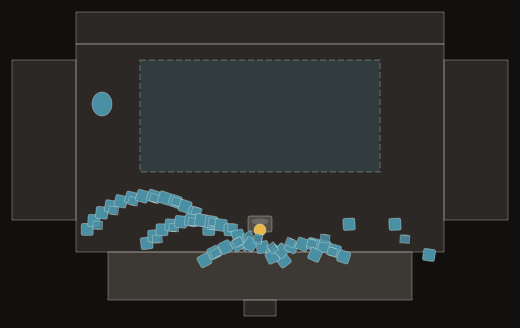
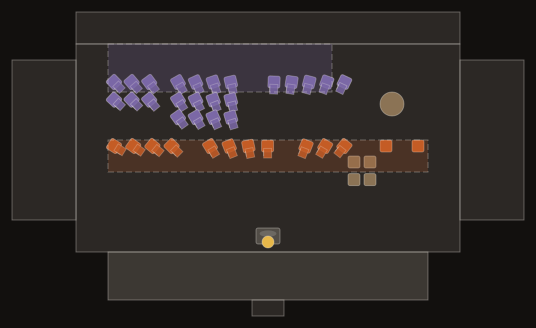
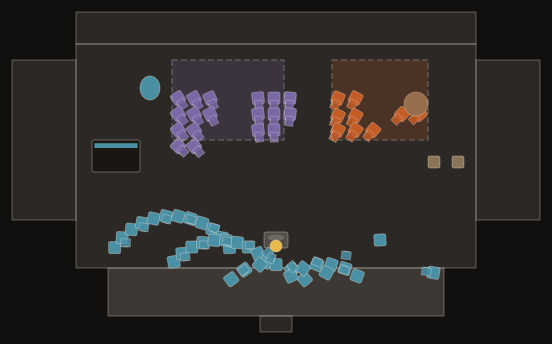
School orchestra seating chart
Built for middle and high school concerts: a string-heavy orchestra with a small wind and brass section, piano and conductor, sized for a typical school auditorium stage. Rename chairs with student names, then print a copy for the stage crew and one for the binder.
Runs in your browser · no signup to edit and print
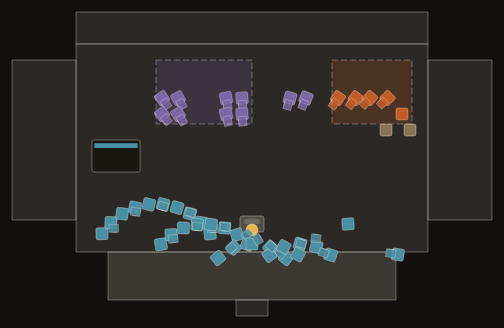
What's in this template
- Seated players
- 48
- Music stands
- 31
- Stage deck drawn at
- 44 × 26 ft (13.4 × 7.9 m)
Also placed: piano, plus podium and conductor.
The counts are a starting point, not a standard instrumentation. Edit them to match your roster.
Chairs by section
| Section | Chairs |
|---|---|
| Violin I | 10 |
| Violin II | 8 |
| Viola | 5 |
| Cello | 5 |
| Double bass | 3 |
| Flute | 4 |
| Clarinet | 4 |
| Bassoon | 2 |
| Horn | 2 |
| Trumpet | 2 |
| Trombone | 1 |
| Percussion | 2 |
Setup tips
- Put chair labels to work. Click a chair and type the student's name to turn the layout into a seating chart for rehearsal and concert night.
- Keep the stand partners together and put your strongest reader on the outside chair, where the audience can see them.
- Leave a clear aisle to the wings for younger players carrying cases, and mark it with an annotation so parent volunteers know to keep it free.
- Save one version per concert (fall, winter, spring) so you can reuse a layout next year. Version history is a Pro feature.
How to make it
- Open the School Orchestra template in the free maker. No account is needed.
- Drag, add or delete chairs, stands and risers. Click a chair to label it with a player's name.
- Check the clearance warnings for chairs that are too close together.
- Export a Letter, Tabloid or A3 PDF, or an SVG, with title block, scale bar and section legend.
Not sure the ensemble fits your stage? Try the orchestra stage size calculator.
FAQ
- How should I seat a middle school orchestra?
- Most directors seat violins I and II on the left, then violas, cellos and basses to the right, with the stronger players at the front desks. Winds and brass, when present, go centre-back. Change the template to fit your hall.
- Can students or parents see the chart without an account?
- Yes. Send a view-only share link and anyone can open it without signing up.
- Is it free for teachers?
- The browser maker and one saved cloud plan are free forever. Pro adds unlimited plans, clean exports and version history.